


Each time one of your tests or surveys are taken, only 1 credit is used. For example:
When you buy credits you get access to all upgraded account Features:
When you assign a test either by Group or Link, you will be provided with a number of customizable settings such as:
ClassMarker gives you the flexibility to modify and reuse tests and test settings as needed:
To edit the settings for your test go to the Tests section and open the row for your test and select 'Settings' next to the group or link you wish to edit.
You can enhance security and variety in your tests by randomly pulling questions from categories in your question bank.
With ClassMarker you can create tests with:
Tip: Combine random and fixed questions to give users consistent content with a fresh mix of questions each time they take a quiz. Add further customization by creating Question Bank categories with different levels of difficulty.
Yes, ClassMarker's Assistant feature lets you assign multiple administrator roles with different access permissions. Permissions include:
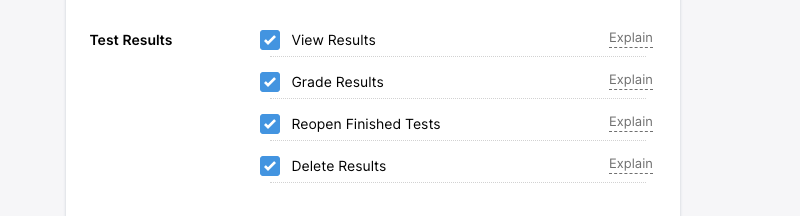
Managing test results: View, grade, delete results. Reopen finished Tests
Managing Users: Group members, access lists.
Managing content: Questions, categories, themes, certificates, files, Webhooks, API keys, account payments.
By delegating specific tasks to different Assistants, you can streamline your workflow and reduce the workload on any single individual.
See: How to Create Assistants
For the main administrator account:
For assistant accounts:
ClassMarker's allows you to duplicate Tests, questions, certificates, and assignment settings. Duplicate tests to make slight variations without affecting the original or to assign with different settings.
Duplicate a quiz:
Yes, ClassMarker's has been built to accommodate the testing needs of all our users. That's why we offer a multilingual student & Test taker interface with language options.
English is our default Interface language but you can create your Tests in 25 supported languages.
Review our: Language options
You can easily view Test takers, Names and emails, Score, percentage, Question statistics and each answer given.
You can also review recent results that are still in progress in real time.
Review our: Viewing results
Yes you can create customer certificates for Test takers to download in real time with their Name, test name, Score and other details you optionally require.
You can also choose to only give Certificates if a User passes their exam.
Review our: Custom certificates
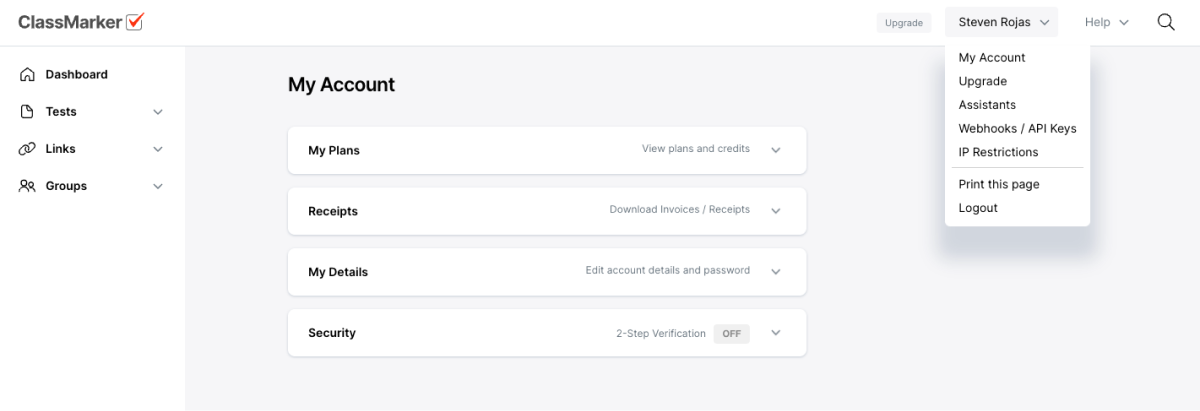
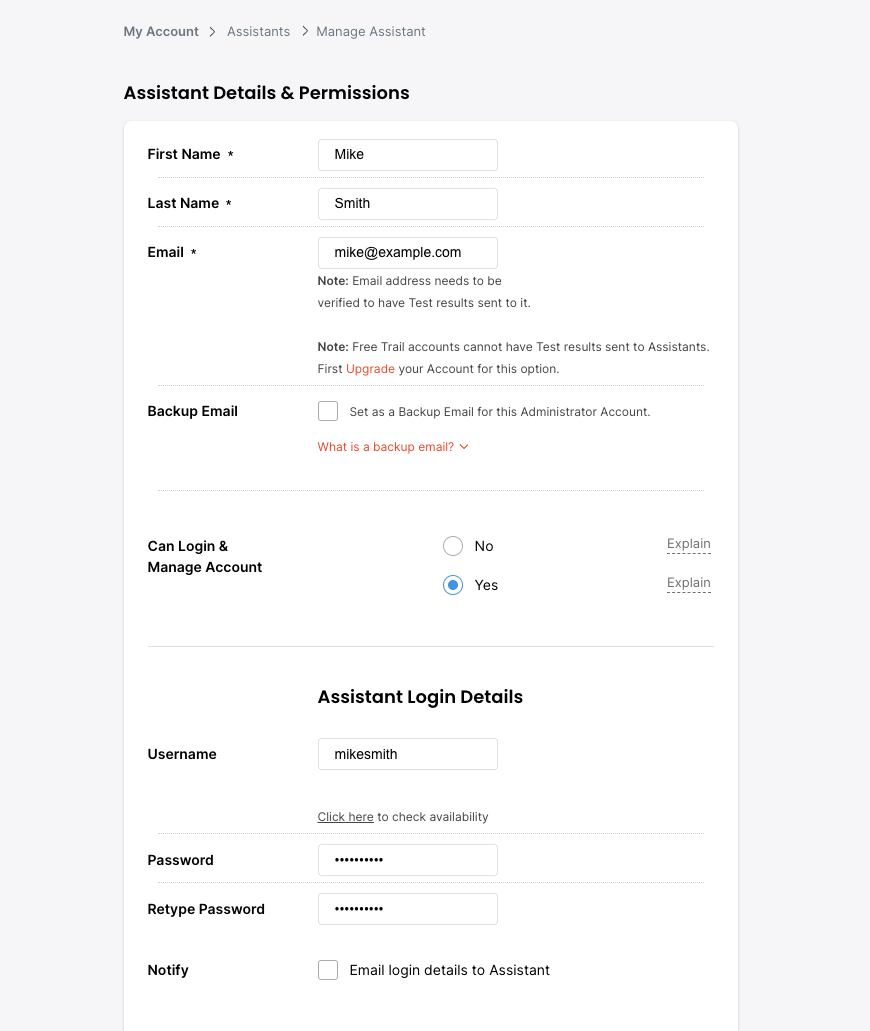
The Assistant feature allows you to assign multiple administrator roles (Assistants / Exam Invigilators) within your ClassMarker admin account, with different access permissions that you can set for each Assistant.
You can give your Assistants full permissions or give them specific types of permissions, such as viewing results only, managing tests and surveys, Categories and the Question Bank or allow an Accounts person to only upgrade your account.
Each Assistant you add to your account will have their own login, including a username and password.
You can also create an Assistant without login permission. This will allow you to select their email address to have Test results sent to or Accept Test payments if you charge for your Exams or surveys.
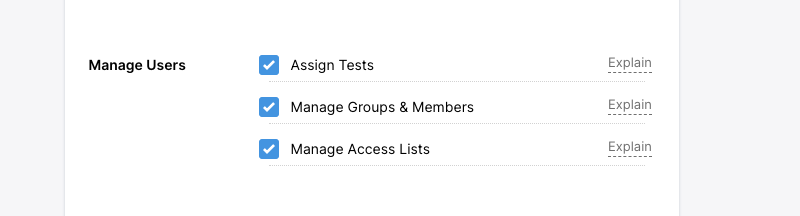
Note: When deleting Groups and members, those members results will be deleted as well.
Manage Access Lists: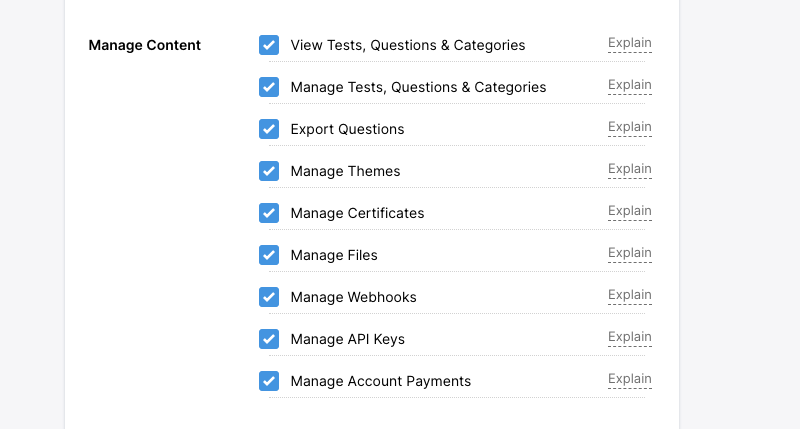
The benefit of registering an exam invigilator is to help you with exam proctoring and supervise users when they are taking their quizzes.
By using Invigilators to conduct your online exams, they can save you time in tasks such as; Checking attendance, Implementing Exam rules, Stop Exam cheating, Book "Testing venues" and more.



